Cinematica: Track Your Movies and Shows
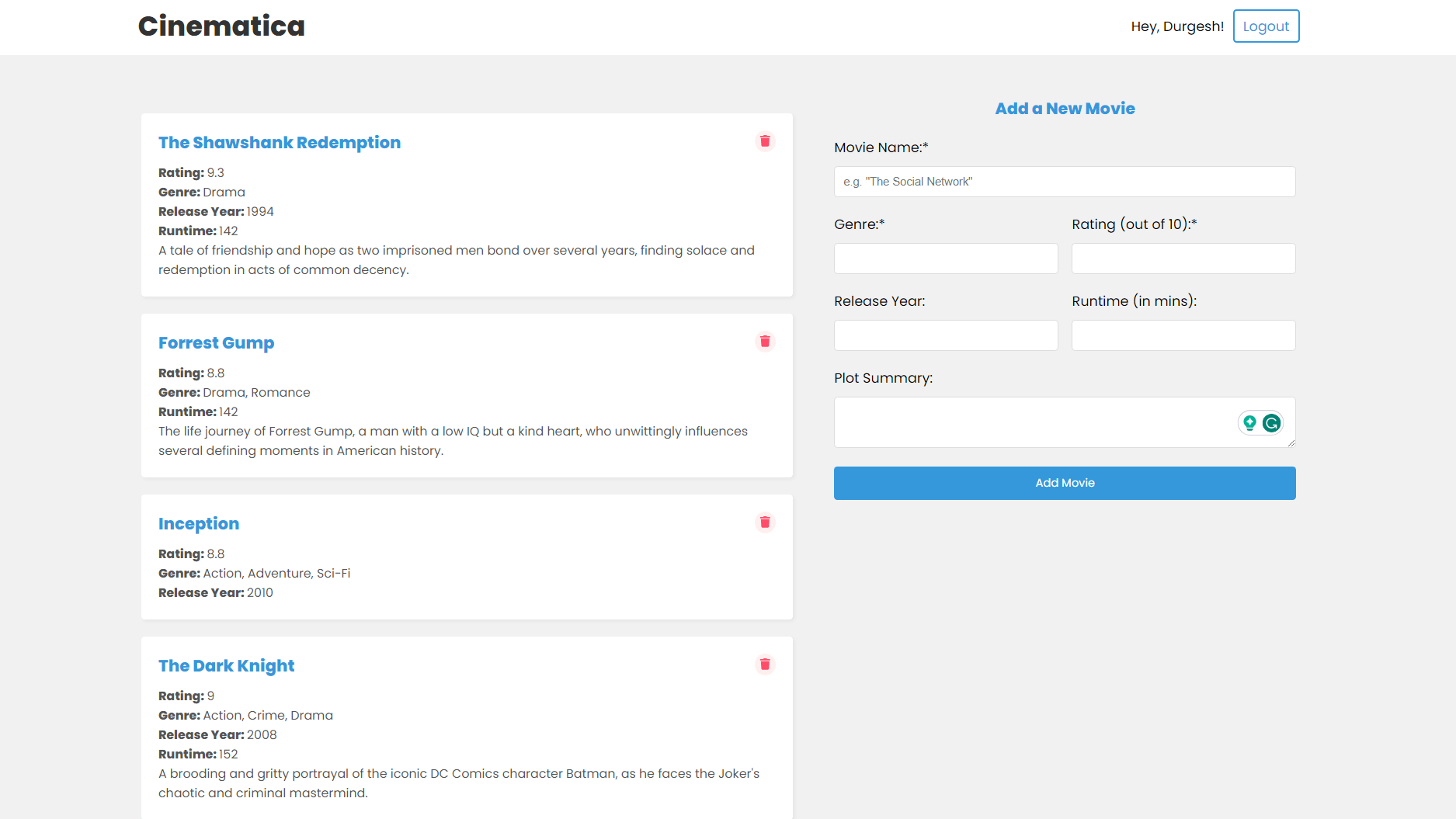
Cinematica is a feature-rich MERN (MongoDB, Express, React, Node.js) application that allows users to seamlessly track and manage the movies and shows they watch or plan to watch. With user account management, full CRUD (Create, Read, Update, Delete) functionality, and a user-friendly interface, Cinematica is your go-to tool for organizing your entertainment preferences.
Deployment
The app is deployed on Vercel. Check it out here.
Key Features
- User Accounts: Create and sign in to manage your collection.
- Add Movies and Shows: Quickly add details like name, duration, release year, genre, plot, and rating.
- Rate Movies: Keep a record of your movie ratings for future reference.
- Track Shows: Cinematica supports TV shows, tracking seasons and episodes.
- Edit and Delete: Easily manage your collection by editing or removing entries.
Upcoming Features
We're adding more features to make Cinematica even better:
- Enhanced Show Support: Track your favorite shows with ease, including seasons and episodes.
- Sorting and Filtering: Sort and filter your collection by name, rating, genre, and more.
- Favorites: Keep a list of your favorite movies and shows.
- Custom Usernames: Personalize your profile with a custom username.
- Edit Movies/Shows: Edit your entries to keep your collection up-to-date.
- Mobile Responsive: Access Cinematica on the go with a mobile-friendly interface.
- Branding: Add branding to make Cinematica look and feel even better.
Cinematica is your ultimate tool for organizing your movie and show preferences.
Getting Started
-
Clone this repository.
git clone https://github.com/yodkwtf/cinematica-mern.git -
Install server dependencies:
cd server npm install -
Install client dependencies:
cd client npm install -
Create a
.envfile in theserverdirectory and add the following:PORT=5000 MONGO_URI=mongodb+srv://<username>:<password>@<cluster-url>/<database-name>?retryWrites=true&w=majority JWT_SECRET=some_secret_string -
Run the server:
cd server npm run dev -
Run the client:
cd client npm start -
Open http://localhost:3000 to view the client and http://localhost:5000 to view the server in the browser.
Contributing
If you'd like to contribute to Cinematica, please fork the repository and use a feature branch. Pull requests are warmly welcome. For major changes, please open an issue first to discuss what you would like to change.
Contact
- Email: 48durgesh.kumar@gmail.com
- GitHub: @yodkwtf
- LinkedIn: Durgesh Chaudhary
Interested in working together?
I'm always open to new projects and collaborations.