EdVault - An Online Marketplace for Educators
EdVault is a full-stack online marketplace built with Next.js, designed for educators to share, sell, and purchase educational resources. Whether you're a teacher, instructor, or education professional, EdVault provides a platform to monetize your notes, solutions, books, and more.
The app is deployed on Railway at ed-vault.up.railway.app.
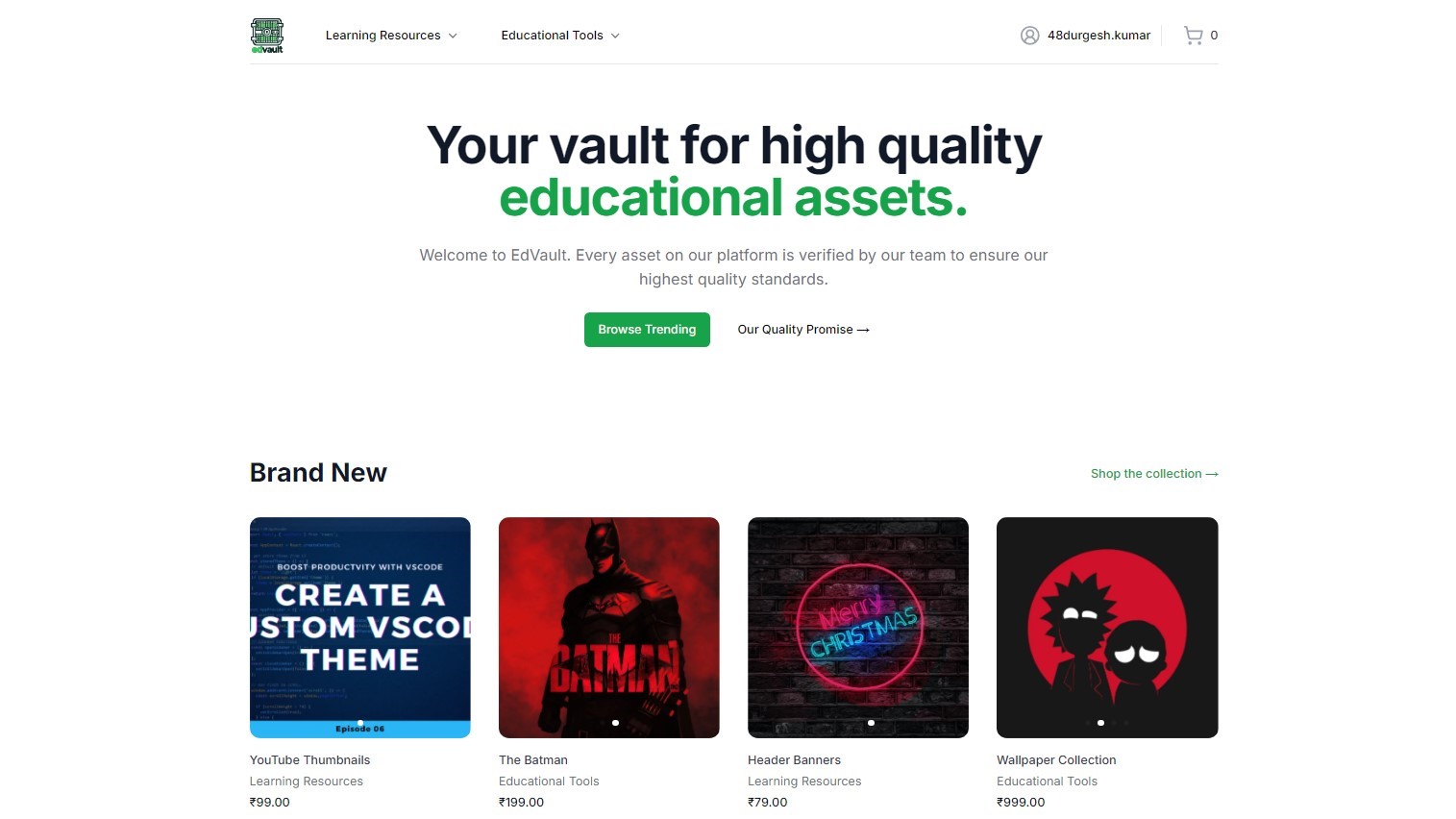
Features
- User Authentication: Secure sign-up and login functionality for educators.
- Resource Management: Upload, manage, and categorize educational resources easily.
- Marketplace: Browse and purchase educational resources from other educators.
- Payment Integration: Seamless transactions for buying and selling resources.
- Responsive Design: Fully responsive interface using Tailwind CSS for optimal performance on all devices.
- Admin Dashboard: Manage users, resources, and orders with an intuitive admin panel.
Tech Stack
Frontend
- Next.js: React framework for server-side rendering and static site generation.
- Tailwind CSS: Utility-first CSS framework for responsive design.
- shadcn-ui: A customizable component library for React.
Backend
- Node.js: JavaScript runtime for server-side scripting.
- Express.js: Minimalist web framework for Node.js.
- tRPC: End-to-end typesafe APIs for building the backend.
- MongoDB: NoSQL database for storing user data, resources, and transactions.
- Payload CMS: Headless CMS for managing content and the admin dashboard.
Getting Started
-
Clone the Repository:
git clone https://github.com/yodkwtf/ed-vault-nextjs.git -
Move into the Directory:
cd ed-vault-nextjs -
Install Dependencies:
npm install -
Set Environment Variables:
Create a
.env.localfile in the root directory and add the following environment variables:PAYLOAD_SECRET=<your_secret> NEXT_PUBLIC_SERVER_URL=http://localhost:3000 MONGODB_URL=<mongomongodb+srv:your_mongodb_url> RESEND_API_KEY=<your_sendgrid_api_key> STRIPE_SECRET_KEY=<your_stripe_secret_key> STRIPE_WEBHOOK_SECRET=<your_stripe_webhook_secret> -
Run the Development Server:
npm run dev -
Open http://localhost:3000 with your browser to see the result.
Deployment
EdVault is optimized for deployment on Railway. Connect your repository and follow the setup instructions provided by Railway. Ensure your environment variables are set in the Railway dashboard.
Contact
Feel free to reach out to me at the following:
- Email: 48durgesh.chaudhary@gmail.com
- LinkedIn: Durgesh Chaudhary
- Twitter: @yodkwtf
Interested in working together?
I'm always open to new projects and collaborations.